LoadGen Default Workloads
Default User Simulation or Workload
Every VDI or Shared Desktop is set up differently, besides many factors that affect the performance of an environment differ per customer. Therefore, it makes no sense to establish an appropriate baseline in any environment. With LoadGen you can create your workload for your type of users, your applications, and your environment.
LoadGen Exchange
We released the LoadGen Exchange (formerly called the Workload Exchange) in the LoadGen Q3 2022 release. With the LoadGen Exchange, it becomes effortless to share LoadGen Workloads or individual LoadGen Apps (which can directly be imported into your existing flows). LoadGen Workloads or LoadGen Applications can be privately (within your own LoadGen tenant domain) or publicly (after validation by LoadGen) published. Read more about the LoadGen Exchange in this article.
Partnership with community-driven GO-EUC platform
In 2020 LoadGen is a proud sponsor of the community-driven GO-EUC platform.
GO-EUC
GO-EUC is an independent community initiative, focused on researching areas in the End-User Computing (EUC) space. These researches vary from hands-on experiences, implementation best practices to performance impacts, and so on.
GO-EUC created a self-maintained workload which can be found here: https://github.com/RyanBijkerk/go-euc-workloads
The GO-EUC Workload
This workload contains the following default applications:
- Microsoft Outlook;
- Microsoft Word;
- Microsoft PowerPoint;
- Microsoft Excel;
- A modern web browser, like Google Chrome or Microsoft Edge;
- Adobe Reader.
The workload is divided into four different user types. Each user type contains the same set of applications and each user starts from a different starting point. This way the load is spread evenly during the test.
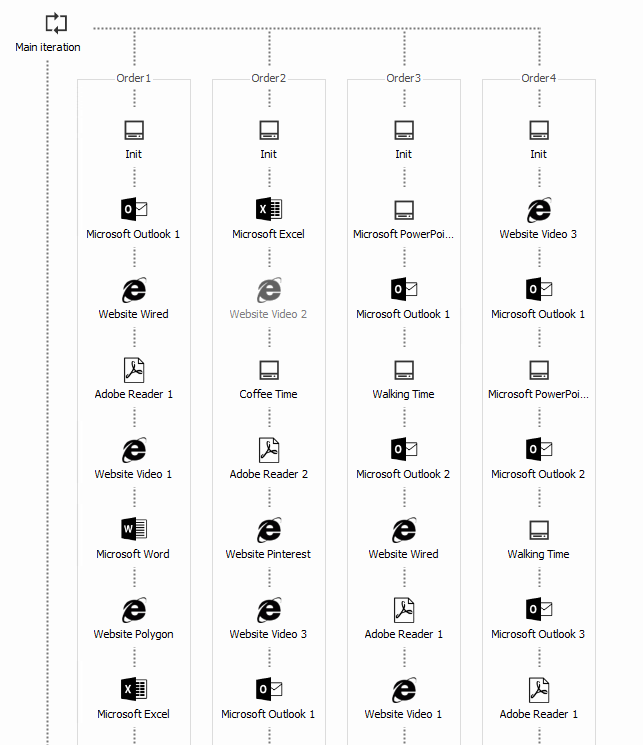
All the websites used in the workload are offline available and provided using a docker container. This is a Linux-based container using NGINX. The container contains 5 versions of various websites, including a video player. The content library contains various documents that are used in the workload. Both the content library and the webserver docker container are available in the table below. This Docker container can be downloaded here: https://hub.docker.com/r/goeuc/webserver
Do you want to know more about GO-EUC?
https://www.go-euc.com/insight-in-the-testing-methodology-2020/
Next steps
- Configuration: Workloads - upload your own workload with Upload Workload, and manage its versions
- Manage workloads and add-in machines - the task guide